Manual Non-Portal Submission
Downloadable WISeR Intake Form for Washington State Requests
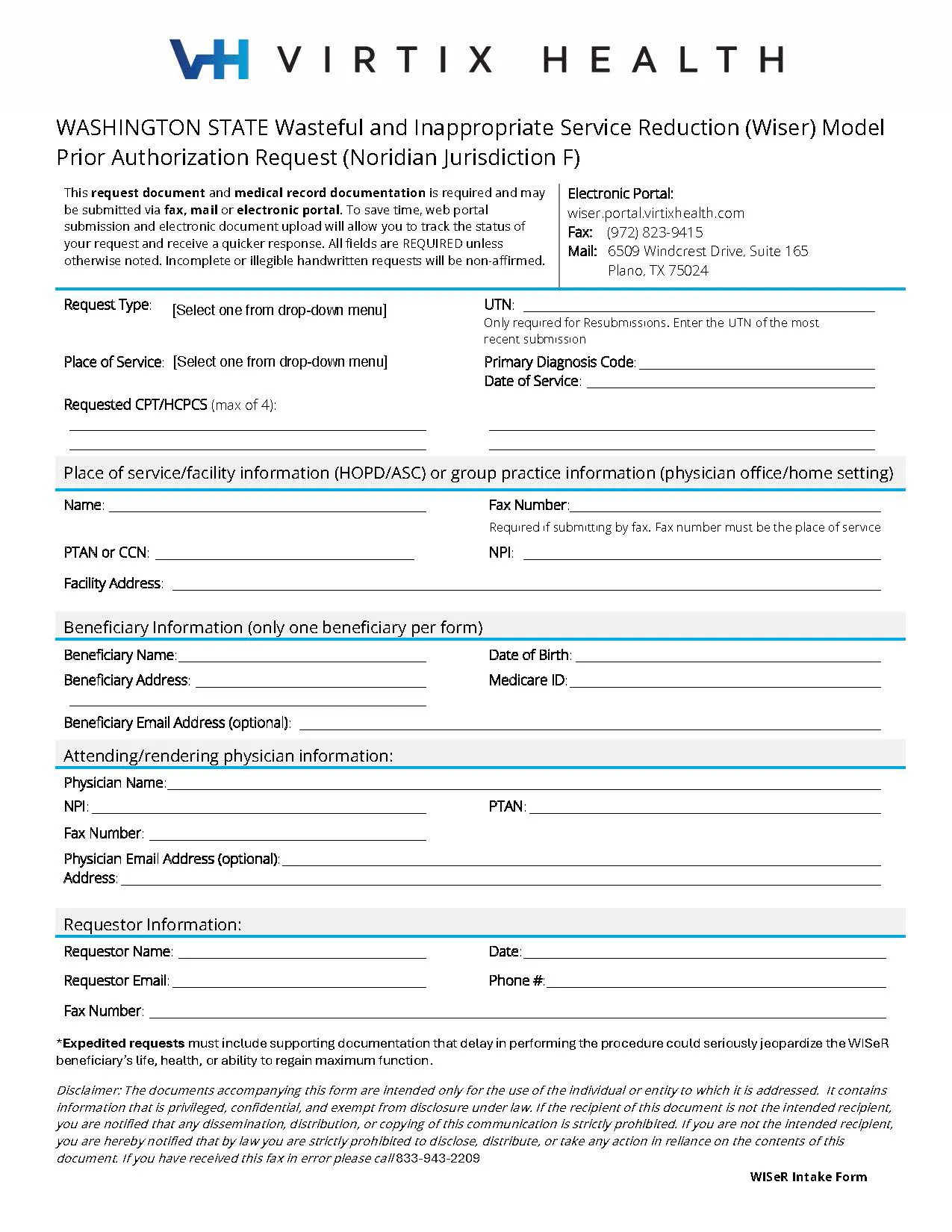
This request document and medical record documentation is required and may be submitted via fax, mail or electronic portal.
To save time, web portal submission and electronic document upload will allow you to track the status of your request and receive a quicker response. All fields are REQUIRED unless otherwise noted. Incomplete or illegible handwritten requests will be non-affirmed.
Should you need to process by fax or mail, please see the following step-by-step instructions for all manual non-portal submissions.
- Use Adobe Acrobat Reader or an integrated web browser viewer to open, read, print, and complete the interactive WISeR intake form (as seen on the left).
- Enter the data in the appropriate fields, such as text boxes, checkboxes, and dropdown menus, and check the intake form for accuracy.
- Save using the file name (WISeR-Intake-Form_Date_Name.pdf) and print the completed intake form.
- Include intake form with supporting medical record documents for review.
- Submit via fax or mail, using the following:
| Fax: | (972) 823-9415 |
| Mail: | Virtix Health 6509 Windcrest Drive, Suite 165 Plano, TX 75024 |
Quick Links
Resources

October WISeR Updates: Coding, Documentation, and Review Tips—Plus Gold Card & Portal Updates
WISeR Model September WISeR Updates: UTN Guidance, Portal Enhancements, and ADR Routing Simplified
WISeR Model: August Webinar, Portal Interface Upgrades, and UTN Insights

WISeR in Practice: Advancing Appropriate Care
July WISeR Updates: Streamlined Resubmissions, Dismissal Know-How, and Escalation Tips
June WISeR Updates: Webinar Recap, Gold Card Launch, and Claims Guidance

WISeR in Practice: Pre + Live Webinar Q&A
Webinar: What Washington Providers Need to Know
Your WISeR Questions, Answered